
Managers Editing Agendas
If HR have enabled meeting agendas and picked the option to allow managers to edit agendas, then a manager can edit meeting agendas for the meetings they are having with their direct reports.
To edit an agenda, just click on the Change Agenda button on any agenda:
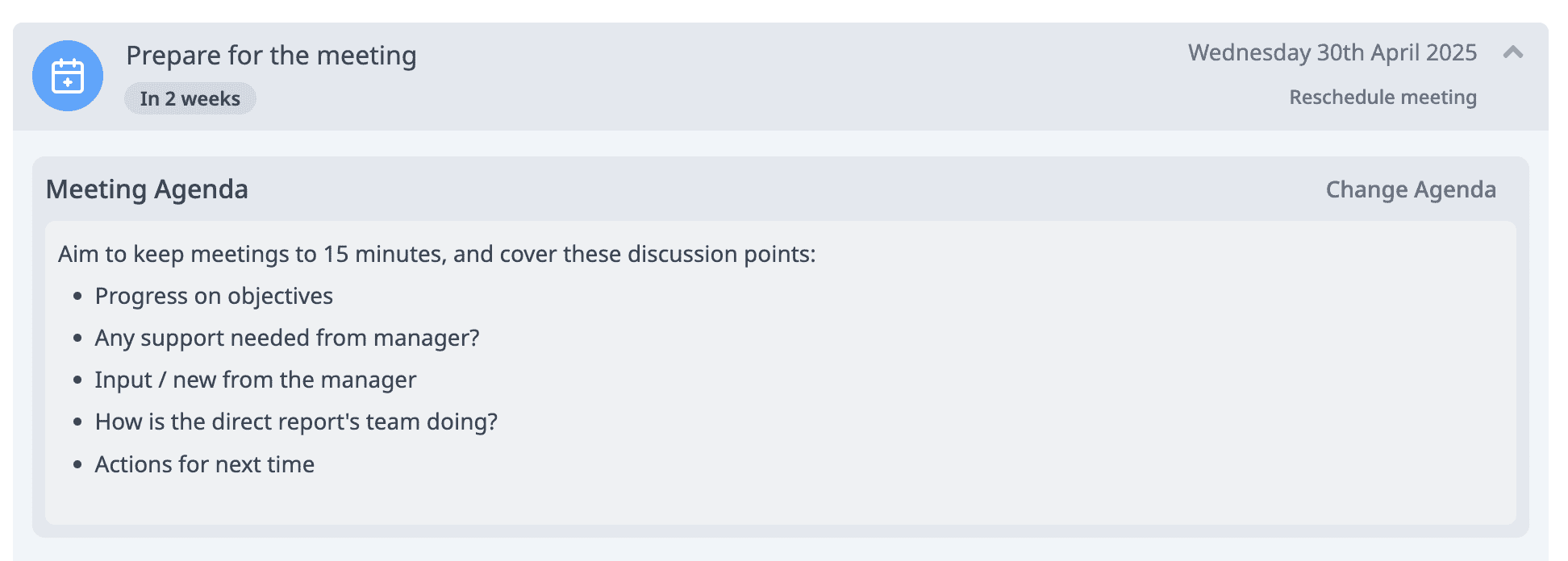
When you click on “Change agenda” you will be given an option to either edit the agenda that is already in place, or pick a new agenda from a list. The list will include agendas you are using for other team members, agendas you have recently used and (if set) some alternative agendas HR can create.
If you want to use a standard agenda across your team, then simply create the agenda for one of your team members, then for the other team members use the “Pick from list” option.
If you edit the agenda for a future meeting, it will be reused in all future meetings. If you edit an agenda for a meeting you have already had, then you are given the option to just change the agenda for that meeting, or use that agenda for all future meetings too.